
Tax
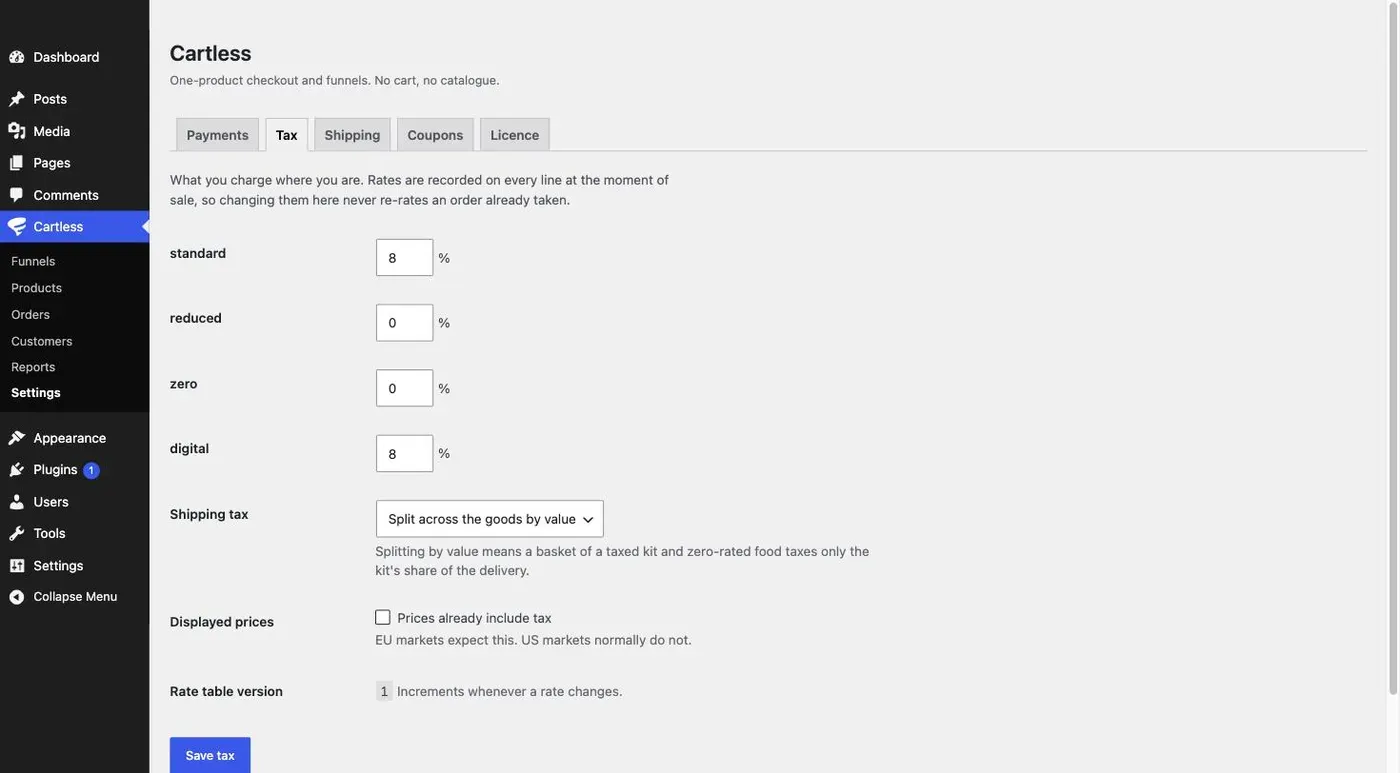
Cartless taxes each line at its own class, rounds line by line, and records the rate used on the order line itself — so a refund in November uses the rate that applied in August, and changing a rate today never re-rates an order already taken.
One tax zone, set under Cartless → Settings → Tax. Every country resolves to it. To sell into another market, make a funnel for it: each funnel carries its own price per offer, its own currency, and its own inclusive or exclusive setting.
The four classes
Section titled “The four classes”Every product has a tax class: standard, reduced, zero or digital. The rate for each is set in the zone. A class with no rate is charged nothing.
Per-line rounding
Section titled “Per-line rounding”Tax is calculated on each line and rounded there, then summed. Two lines at 8% on $9.99 each are taxed as two lines, not as one $19.98 line — which is how a tax authority reads an invoice, and how a per-line refund stays exact.
Prices that already include tax
Section titled “Prices that already include tax”Tick Prices already include tax and the price you enter is the price the buyer pays; Cartless works the tax out backwards from it. Otherwise tax is added on top.
Shipping tax
Section titled “Shipping tax”Three treatments, chosen in Settings:
- At the highest rate in the basket — shipping is taxed at the highest rate of any line in the order.
- Splitting by value — the shipping charge is allocated across the goods in proportion to their value and taxed at each line’s rate. A basket of a taxed kit and zero-rated food taxes only the kit’s share.
- Not taxed — shipping carries no tax.
Free shipping adds no tax under any treatment. A download has no delivery to tax.
What is snapshotted on the order
Section titled “What is snapshotted on the order”Every order line records the tax class, the rate, and the version of the rate table it was made under. The table’s version increments whenever a rate changes; Settings tells you so when you save. Reports and refunds read the snapshot, never today’s table.