
Stock and SKUs
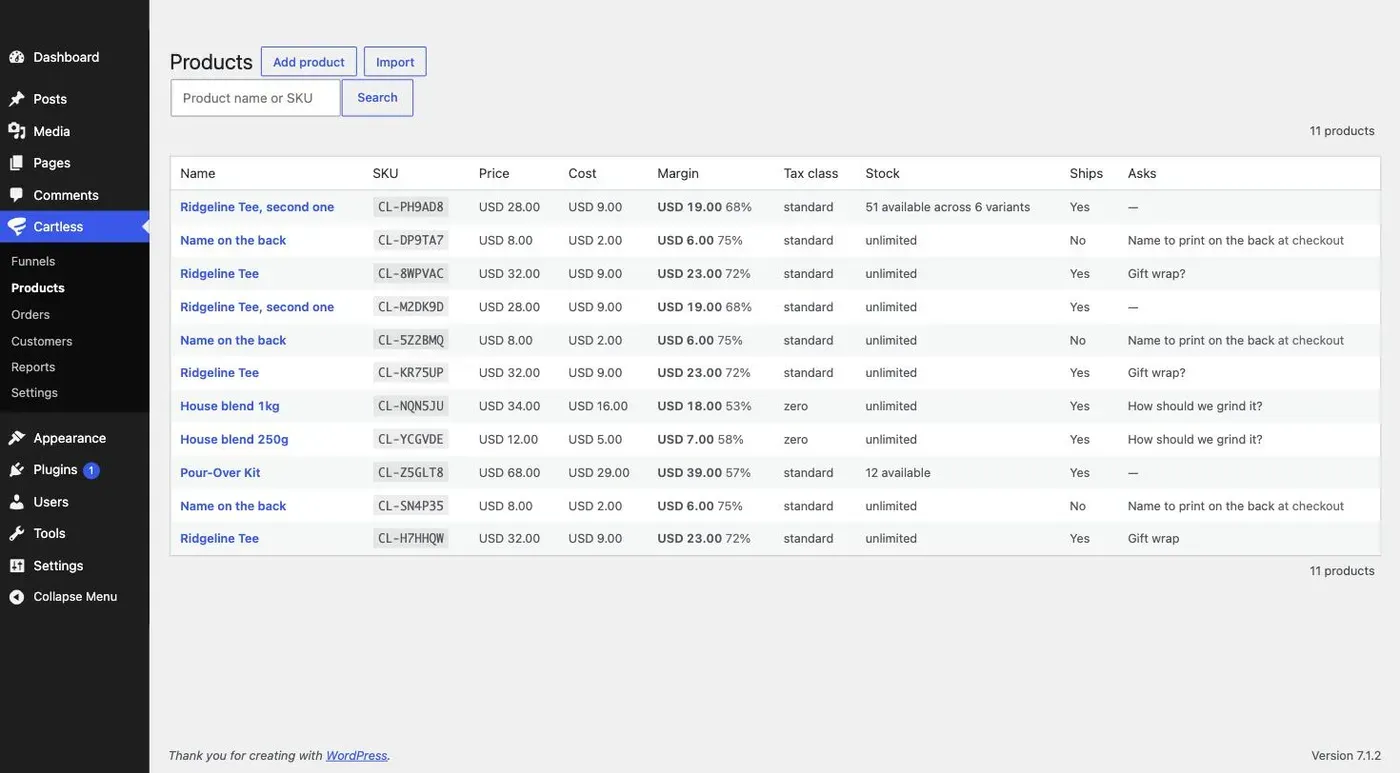
Every product has a SKU. If you do not give one, Cartless makes one up — CL- and six characters — and shows it on the product so you can replace it with your own. A SKU has to be unique on the site.
It matters for funnel templates: a template names its products by SKU, so importing one finds the products you already have and creates only the rest. Two products with no SKU could never be told apart; now they always can. Use your own SKUs when you sell the same product from several sites, and keep them the same everywhere.
Variant combinations can carry a SKU of their own, optionally, for your warehouse.
Stock is a switch on the product, Count stock, off by default.
- Off: unlimited. Nothing is counted and nothing is shown. With variants, the list only asks which combinations you sell.
- On: one number per variant — or one for the product, when it comes in one kind — called Available. At zero it says Sold out: the Product block disables its button, the checkout refuses it, and an offer for it is skipped as if declined.
How the number moves
Section titled “How the number moves”Available is never typed over. It moves in four ways, and every move is written to the Stock history under the list, with who and why:
| What happened | Available | In the history |
|---|---|---|
| An order is paid | −1 per unit | Sale, with the order |
| A line is refunded in full while the order is still unfulfilled | +1 | Refund, with the order |
| A line is refunded after the order was fulfilled | no change — the unit has left; a return is an adjustment | nothing |
| You adjust it | whatever you entered | your reason, your name, your note |
| You mark an order fulfilled, or unfulfil it | no change | Fulfilled or Unfulfilled, with the order — so the history is the shipping record too |
Adjusting
Section titled “Adjusting”Under the list: pick the variant, enter a signed amount such as +40 or -2, pick a reason — Correction, Count, Received, Return restocked, Damaged, Lost or stolen, Given away — add a note if it helps, and click Adjust. A new product starts at zero; the first adjustment is usually Received or Count.
Two buyers and the last unit
Section titled “Two buyers and the last unit”Stock moves when money does, never when someone merely selects. Nothing is held while a buyer reads an upsell page, so two buyers can both reach the last unit and one of them will pay for it after it has gone. When that happens the order stands, Available reads −1, the line is flagged oversold in the log, and you refund or fulfil it by hand. That trade is deliberate: refusing money already taken is not something a plugin should do silently.
What the Products list says
Section titled “What the Products list says”The Stock column reads unlimited, sold out, 12 available, or 51 available across 6 variants.
Templates carry the switch, not the count or the history. A product imported with stock counted starts at zero on the new site, for you to receive what you have.