
Coupons
A coupon takes a percentage or a fixed amount off the order, or makes shipping free. One coupon applies per order. A code can carry expiry and usage limits, and it can be applied from a link so an email or an ad applies it on arrival.
- Percent — a share off the order, 0–100.
- Fixed — an amount off, in the funnel’s currency.
- Free shipping — the shipping line becomes zero.
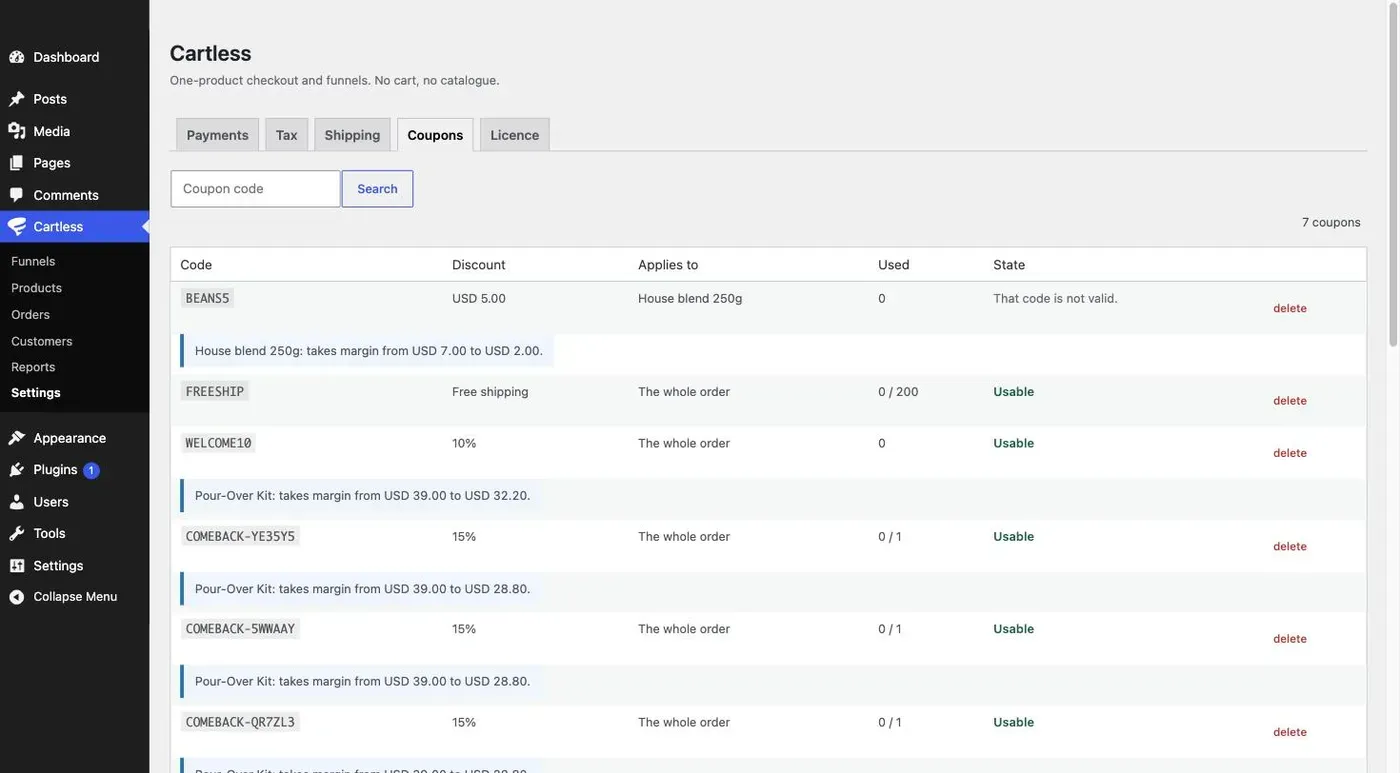
A coupon can apply to the whole order or to one product.
Expiry and usage limits
Section titled “Expiry and usage limits”Each coupon can have an Expires date, a Total uses limit, and a limit on Uses per customer. An expired or exhausted code is refused at checkout with That code is not valid and nothing else — the checkout does not explain why, because the reason is yours to know, not the buyer’s.
Applying from a link
Section titled “Applying from a link”Add ?coupon=CODE to any link into the funnel and the code is applied when the buyer arrives. The checkout still shows the code under Have a discount code? and the buyer can change it.
How the discount spreads across lines and tax
Section titled “How the discount spreads across lines and tax”A discount is spread across the order’s lines in proportion to their value, and tax is then recomputed line by line. A standard-rated kit and a zero-rated bag of beans are each discounted in proportion, so the tax owed falls by the standard-rated share and no more. Tax is charged on what is actually paid, never on the price before the discount.
Free-shipping thresholds after a discount
Section titled “Free-shipping thresholds after a discount”If shipping is free over a threshold, the threshold is tested against the order after the discount. A $60 order with a $10 coupon is a $50 order for shipping purposes, which is what most stores expect and what the summary shows.
What is deliberately not here
Section titled “What is deliberately not here”One coupon per order. No stacking, no buy-one-get-one, no category scoping — each of those is a rule engine wearing a small feature’s clothes. Cartless Pro adds coupon templates, which hand each customer a code only they can spend.